Runs in your browser · installs like an app
Read your script while the camera rolls.
Teleprompter Studio scrolls your words in front of the lens and records you in up to 4K. Direct your own delivery with highlights, colour cues and timed pauses, and let the AI you already use write and polish the script for you.
No account needed to start · works offline · up to 4K capture
New in Pro · Bring your own AI
Your AI writes the script. You hit record.
Connect the assistant you already use (Claude, ChatGPT, Gemini, Copilot, or a private model on your own machine) and it works directly on your teleprompter scripts: tightening them for speaking, adding timed pauses and emphasis, and telling you exactly how long they’ll take. No built-in chatbot, no extra AI subscription from us.
- Claude
- ChatGPT
- Gemini
- Copilot
- Ollama (local models)
- Siri & Shortcuts
In your assistant
Claude · ChatGPT · Gemini · Copilot · a local model
In Teleprompter Studio
Changed by Claude · 1 edit · just now
This year we cut setup time by 40%//and our customers noticed.///We are very excited to Today we launch three new tools.
Ready to record, or undo it in a tap.
1
Connect once
Add Teleprompter Studio to your assistant and choose Allow. No passwords shared, disconnect any time.
2
Ask in plain words
“Tighten my launch video for speaking, add pauses and bold the numbers.” Or: “Write a 60-second intro in my Courses folder.”
3
Review, then roll camera
The change is waiting in the app, marked with who made it. Compare, Keep or Undo, then hit record.
Everything you need to nail the take
A full teleprompter and recorder. No installs, no sign-up to get going.
Direct your delivery
Bold, highlight and underline, plus colour cues for emphasis, all edited right in the text, no code to see.
Cues that change the pace
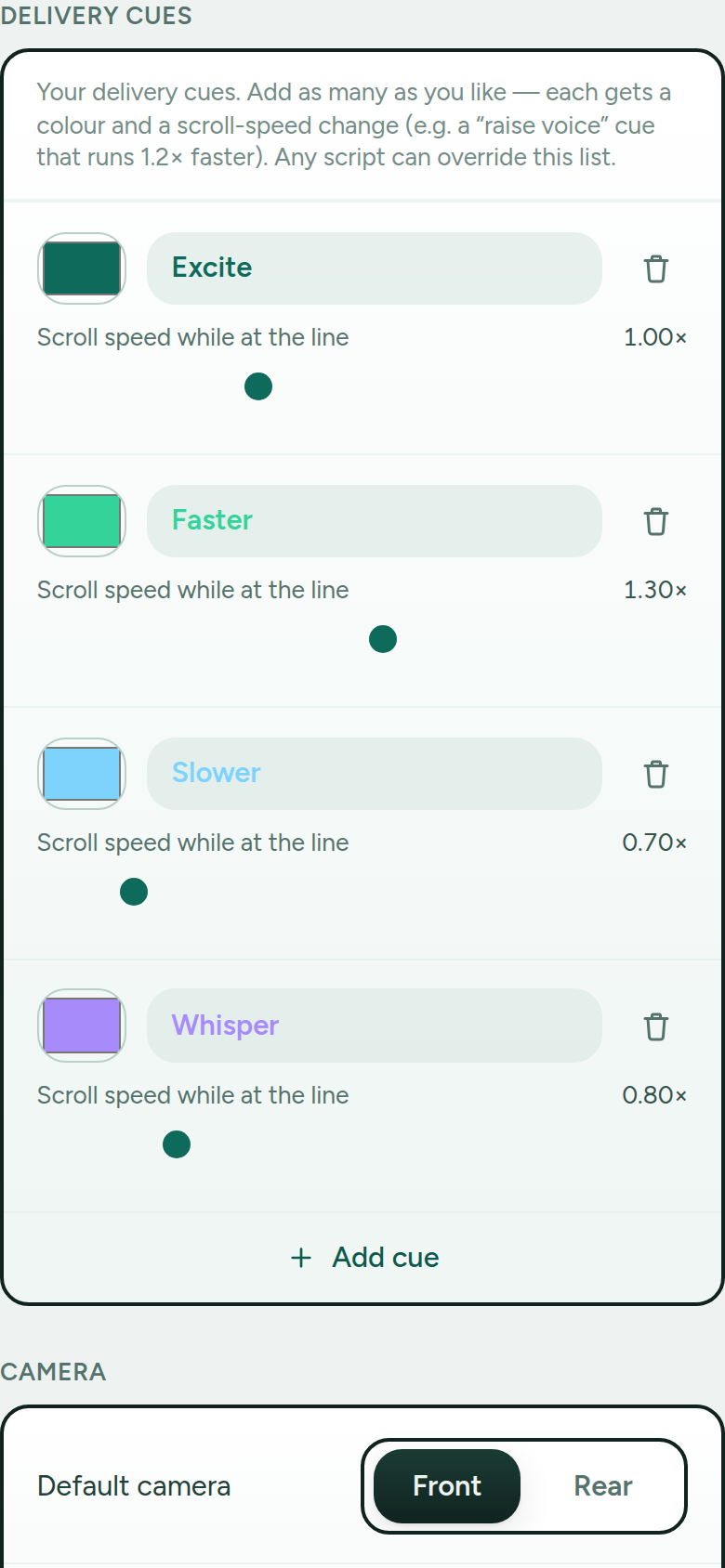
Give a cue a colour and a speed. An “excite” cue can scroll faster as it hits the reading line, then snap back.
Scripted pauses
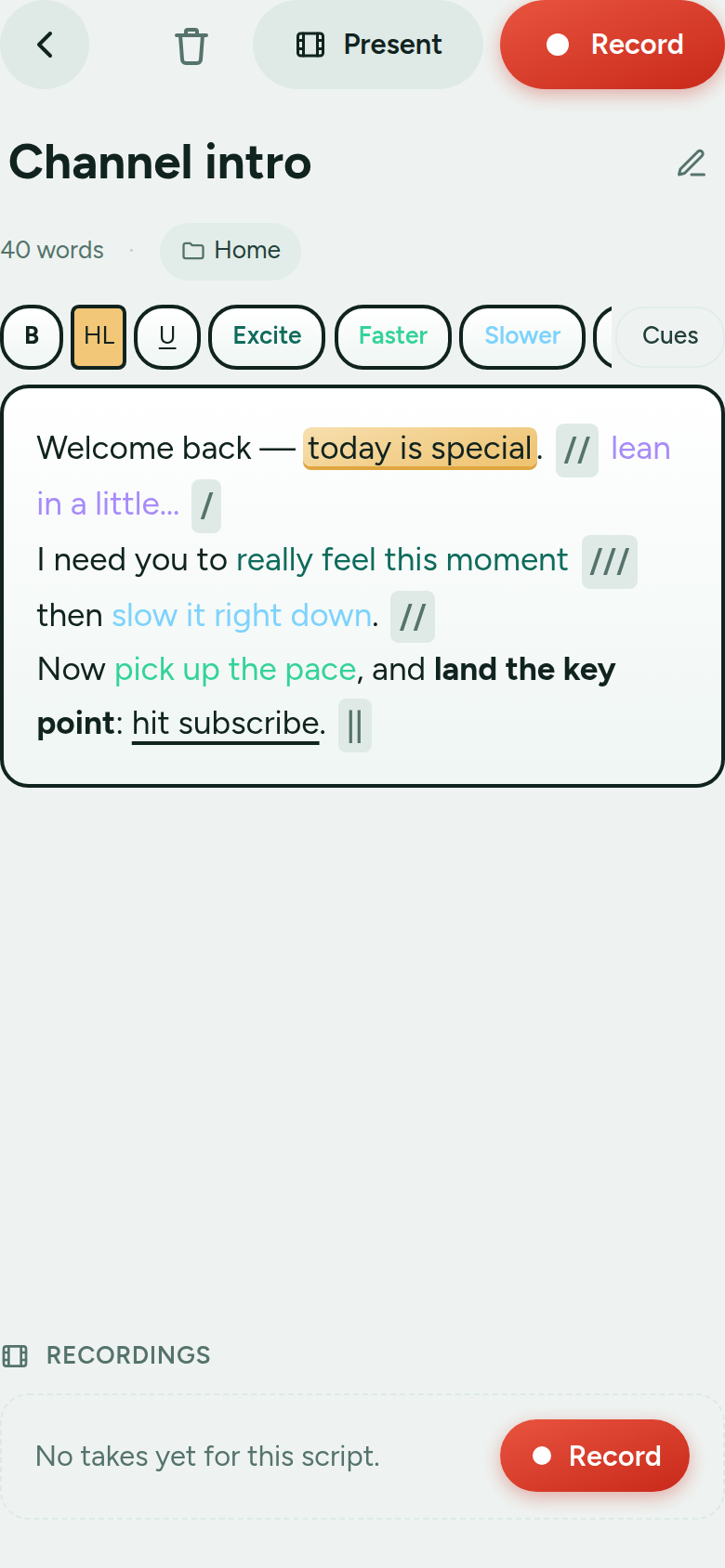
Drop caesura marks (/ // /// ||) for small, medium, long and dramatic beats. The scroll holds for exactly the seconds you set, then resumes.
Pace in words per minute
Set how fast you speak, not how fast pixels move. 150 wpm is 150 wpm on a phone, a tablet or a big screen, and the read-time estimate matches.
Record in up to 4K
Front or rear camera, mirror preview, resilient capture that survives interruptions. Takes stay on your device.
Camera-free reader
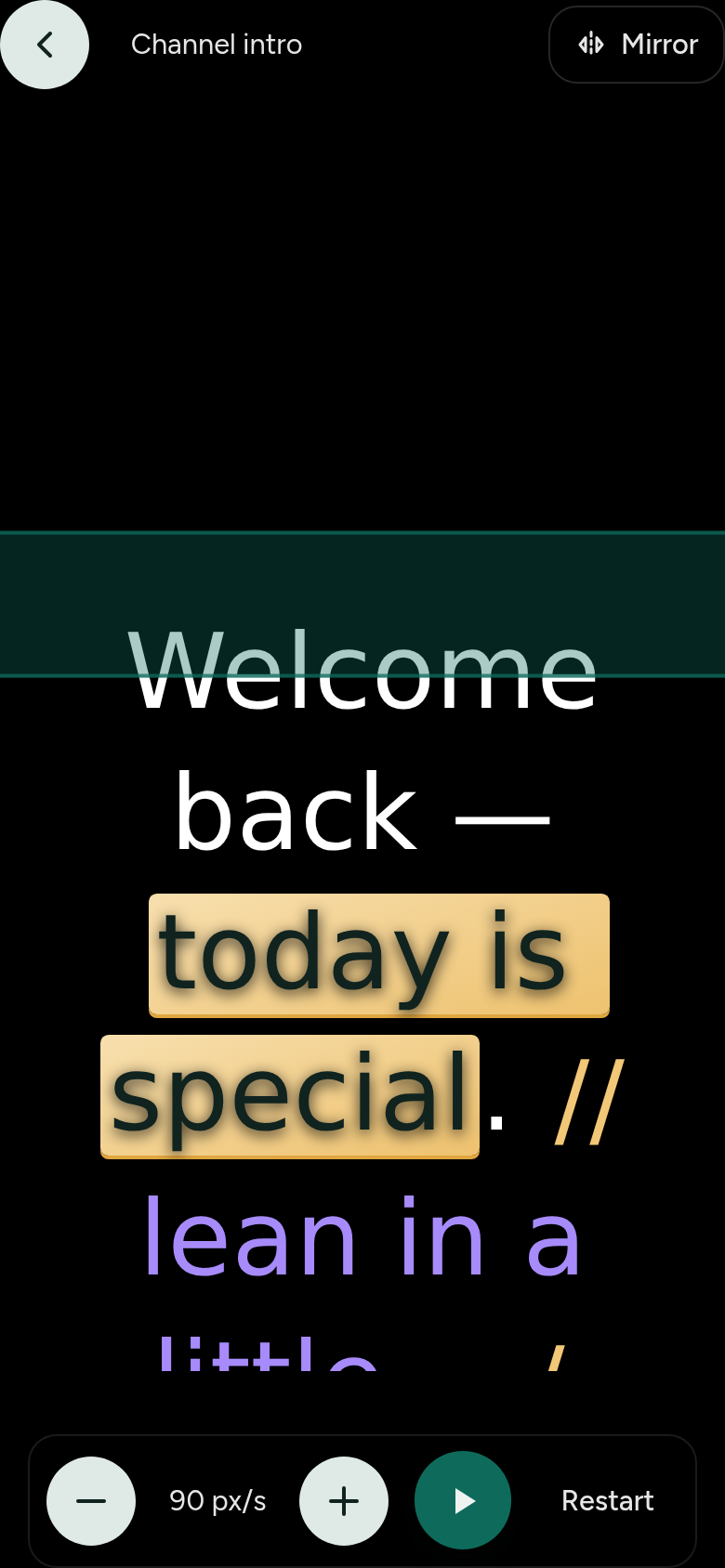
Present without recording, or flip to mirror writing to bounce a phone or tablet off real teleprompter glass.
Pedal & remote control
Play, pause, jump and change speed from a Bluetooth page-turner, keyboard, mouse or game controller.
Organised scripts
Folders with drag-and-drop, a big-icon grid or compact list, a snippet preview on every card, live rename.
Manage your takes
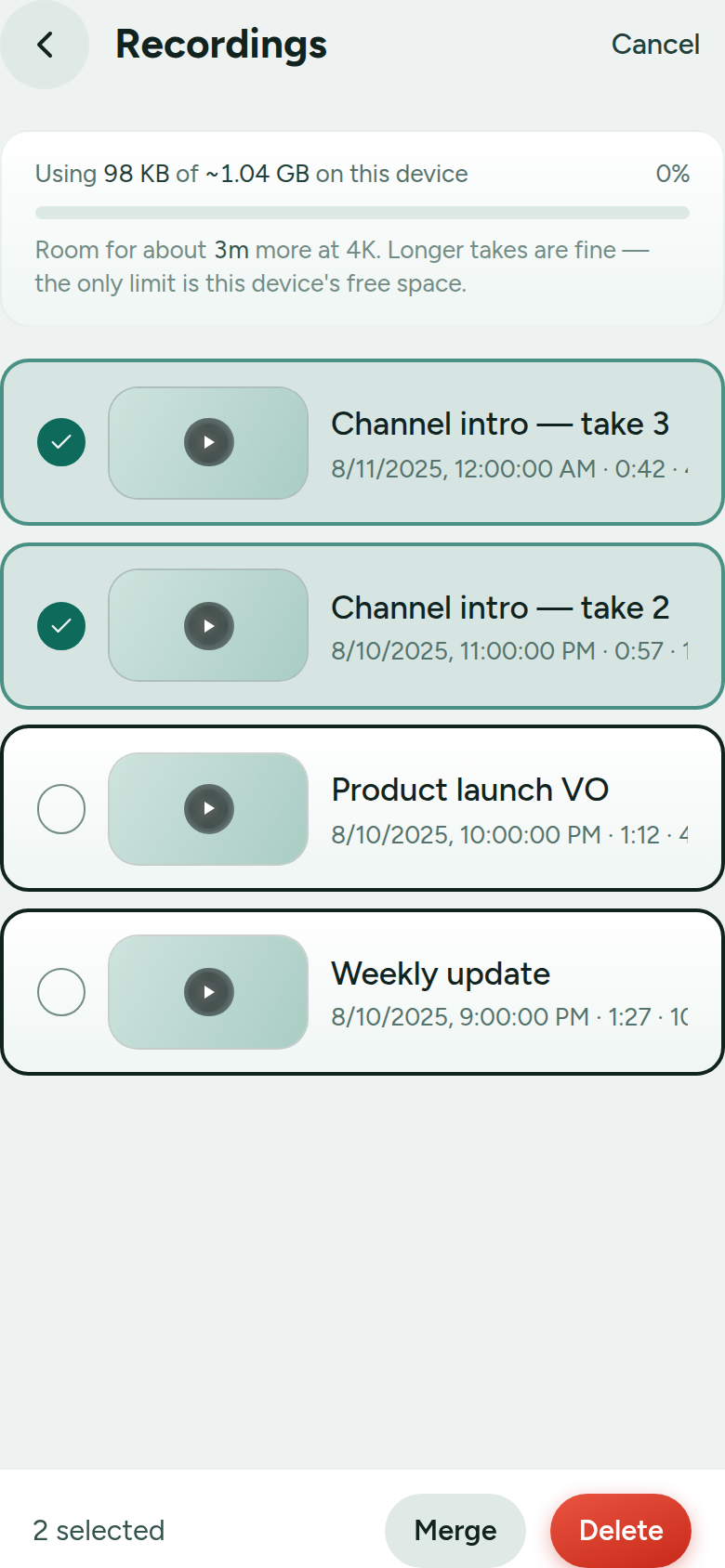
Thumbnails, a swipeable player, and multi-select to bulk-delete or merge several takes into one.
Works offline
Installs to your home screen and runs without a connection. There's even a dyslexia-friendly font.
Version history · Pro
Your last five saved versions of every script, kept automatically. Compare any of them with now, and restore in a tap.
Bring your own AI · Pro
Let Claude, Gemini, ChatGPT, Ollama or Copilot tighten your script, add pauses and emphasis, then keep or undo the changes.
Formatting
Mark up how it should be read
Select a phrase and tap a style. Bold, highlight and underline are always there; your colour cues sit right beside them.
You edit the finished, styled text, never the underlying codes. Copy it into another app and the codes travel with it; paste it back and they’re cleaned up automatically.
Cues
Make the cues your own
Start with Excite, Faster and Slower, or add as many as you like. Each cue has a label, a colour, and a scroll-speed multiplier.
Set them once as your defaults, then override them for a single script when a piece needs its own palette or pacing.
Present
Record it, or reflect it
Roll the camera and read to the lens, or open the camera-free reader for a clean full-screen scroll with a reading guide.
Turn on mirror writing and a tablet becomes the source for a proper beam-splitter teleprompter rig. In landscape you can pin the text to half the screen, on the same side as your lens.
Recordings
Keep, merge and tidy up
Every take is saved on your device with a thumbnail and a swipeable player. See exactly how much space you have. The only limit is your free storage.
Select several takes to bulk-delete, or merge them into a single video, joined in order and re-encoded right on your device.
One quick legend
This is the whole vocabulary. Highlight, bold and underline are fixed; the coloured words are cues you define; the slashes and bars are pauses that get longer left to right.
Full details in the formatting & cues guide.
Start free. Upgrade when you need more.
The whole teleprompter is free. Pro lifts the daily recording limit, keeps everything in sync across your devices, and lets you bring your own AI.
Free
Everything you need to record, on one device.
£0
- Up to 3 recordings per day
- Records in 720p
- Unlimited scripts & folders
- All formatting, cues & pauses
- Choose your mic + live audio levels
- Cast a take to another screen
- Camera-free reader + mirror writing
- Pedal / remote control
- Works offline · installs as an app
Pro
For creators who record every day, work across devices and write with AI.
Unlimited recordings
- Everything in Free
- Bring your own AI: write and polish scripts from Claude, ChatGPT, Gemini, Copilot or a local model. Every change is yours to keep or undo
- Unlimited daily recordings
- Record in 1080p & 4K
- Centralised management: scripts, folders & settings sync across every device you sign in on
- Pick up on your phone exactly where you left off on your desktop
- Version history: your last 5 saved versions of every script, to compare and restore
- Keeps your library safe if a subscription lapses, with a 3-month grace window to resubscribe and restore
Recorded videos always stay on your own device.
Why create an account?
You don't need one to use the teleprompter. Free works fully offline and everything stays on your device. An account (free) links your Pro subscription to you and syncs your scripts, folders and settings across every device you sign in on. It's also how you upgrade: you'll sign in first, so your purchase always unlocks Pro on your account.
or just open the app and start recording.
Learn every feature
Short, practical guides, especially how highlights, colours and cues work.